Orders
How to view orders?
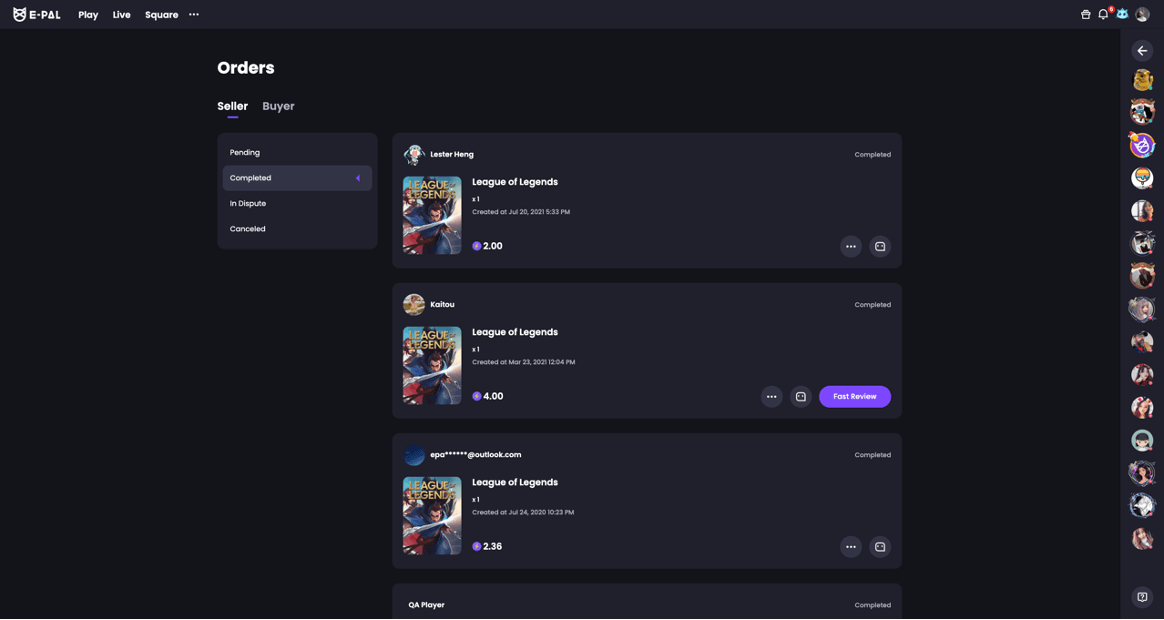
‒ E-Pal users can be buyers or sellers, and orders for these two types of roles are stored separately.
‒ Buyer orders are divided into four states: Pending, Completed, In Dispute, and Canceled.
‒ Seller orders are divided into five states: Unpaid, Pending, Completed, In Dispute, and Canceled.
● Unpaid orders refer to orders that the buyer has not paid.
● Pending orders refer to orders that the seller has not accepted.
● After the order is accepted, it will be in the Completed state.
● If an order is disputed within 72 hours after it is accepted, the order status will be changed to In Dispute.
● Orders that are canceled by the buyer or rejected by the seller are in the Canceled state.
How to check order details?
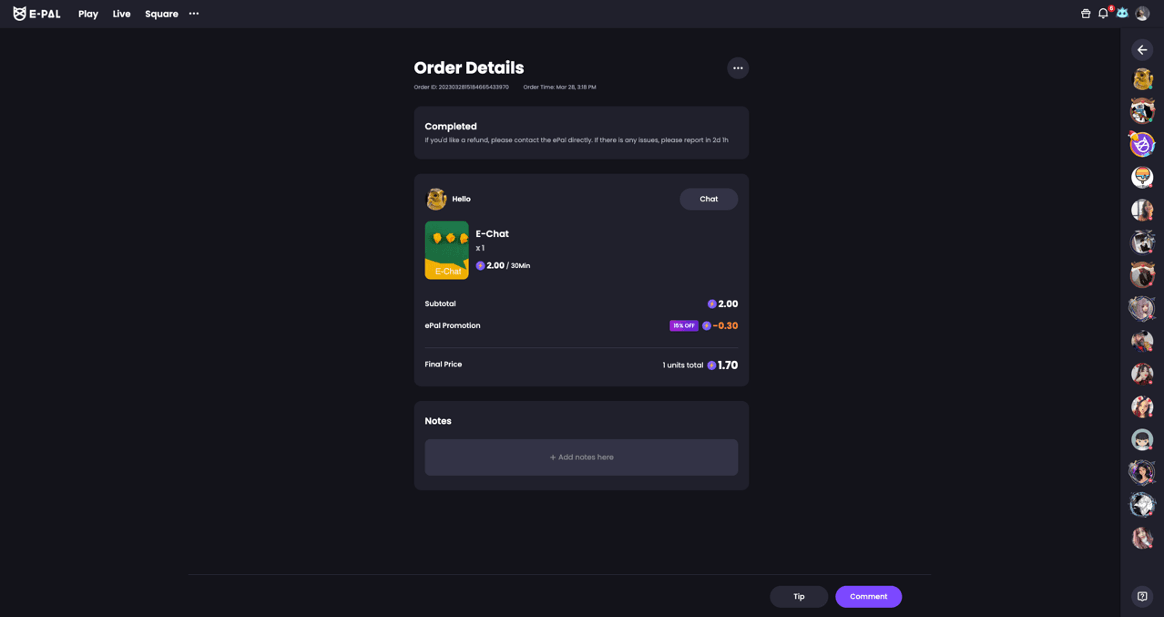
‒ In the order list, click on any order card to enter the order details page.
‒ In the details page, you can view more detailed information such as the order number, order creation time, etc.
How to initiate a dispute for an order?
‒ If there are any doubts about the order and negotiation with the buyer or seller does not reach a resolution, you can seek help from the team through "Customer Service" in the "Help Center".
Say no to off-platform transactions
‒ Engaging in third-party payments on E-Pal is strictly prohibited.
Order Review FAQ
‒ After the order is completed, the client/ePal may be able to evaluate the order after 15 minutes. Clients can rate 1-5 stars to the ePal's service on the order page,with or without writing a comment, which is optional. Clients are capable to remain anonymous when giving a review. EPals can only provide a rating for their customer on the order page, without any comments. After the order completed 72 hours, neither of you are able to perform any reviews.
‒ After the clients write the review, ePals may be able to check the comment both the order detail page or your profile service page. These ratings will be displayed on your profile page for all users to refer to after the order has been completed over 72 hours. During this period, the rating will only be visible to the commenter and commentee. And the system will not display the details of comment from the ePal to the clients.
‒ According to the latest policy requirements, both clients and ePals are unable to modify the comment they have previously left. Clients have the right to remove their own comments on the order details page in the order management centre, while ePals cannot delete their ratings for the clients. However, ePals may contact our support team to take further investigation if they were harassed during the order or the comment violates our TOS/guidelines with required evidence. Regarding refund situations, the system will automatically remove the reviews from both parties.
‒ During the dispute order process, comments will not be published. Only the related client and ePal can view the details. Once the order is refunded, our system will remove the comment automatically.
‒ Our sytem will retain the comments for 180 days. And free orders no longer allow comments.